
To access the Defund button, click on the Portfolio button in the top menu.

The Defund option will then be visible further down the page.

Once you click Defund, the screen below will display.
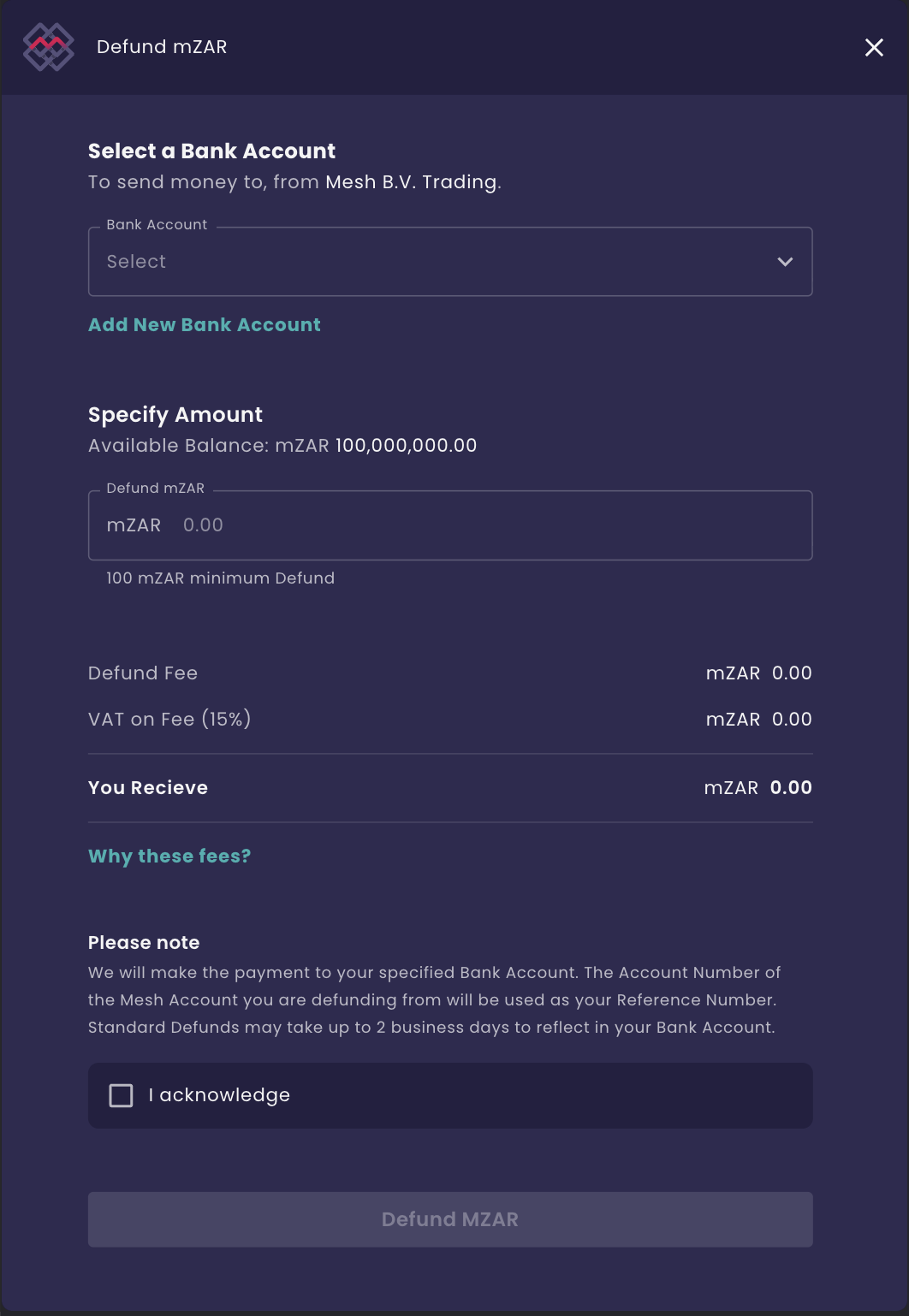
Select the bank account that you wish to have your funds paid to or link a new bank account if none is available.
Once a bank account has been successfully linked, you can enter the amount that you wish to withdraw. Take note of the defund fees, which will be updated once you enter your defund amount.
Please checkbox, review the transaction details, and tick rhe check-box to proceed:
Mesh will deposit the funds into the specified linked bank account
Mesh will use your unique funding reference as the defund reference
Some banks can take up to 2 business days to settle EFT transactions
Please note that the defunding fees are handled separately from the defunding request. Always make sure that your Mesh account has sufficient mZAR to pay for the additional defunding fees.
Refer to the Mesh website for more information on the Mesh fees schedule: https://mesh.trade/fees/
Once the Defund has been processed, you will receive an email notification confirming the transaction is complete.